Remote wallet lockdown: Protecting payment cards after phone loss
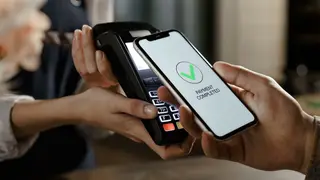
If your phone goes missing, you can remotely disable your digital wallet to prevent unauthorized access to payment cards, tickets, and IDs. On Android, marking the device as lost via Find Hub logs out your Google account and removes all cards from Google Wallet. Alternatively, using Remote Lock at android.com/lock can lock the device once it connects to the internet.
The article outlines distinct recovery paths for each major mobile ecosystem. Android users can mark a device as lost through Find Hub, which automatically logs out the Google account and clears Google Wallet cards. A fallback option, Remote Lock at android.com/lock, requires only a phone number and security verification to lock the device once it reconnects. Samsung devices add another layer through SmartThings Find, which locks Samsung Wallet by default. iPhone users can enable Lost Mode via Find My, or remove wallet items entirely through device settings or web sign-in.
Beyond wallet protection, the piece advises reviewing account security settings and contacting card issuers to freeze digital cards, highlighting that banks may offer their own card-freezing tools.
The ability to remotely disable digital wallets could significantly reduce financial losses from phone theft, affecting both consumers and the broader payments ecosystem. Individuals who lose phones may feel more secure knowing their cards and IDs are protected, potentially increasing trust in mobile payments. However, the process requires access to secondary devices and accounts, which may not be available to everyone, possibly creating a divide in security outcomes. Banks and issuers may see fewer fraud claims, while users must balance convenience with these protective steps.