Samsung's Hidden Edge Panel: A Customizable Shortcut Bar
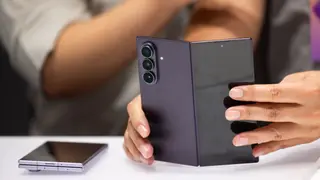
Samsung Galaxy phones include a feature called Edge Panel, a swipeable sidebar for quick access to apps and tools. Users can customize it with up to seven different panel types, including apps, people, and tasks. It's a convenient way to streamline mobile navigation.
The Edge Panel serves as a manufacturer-specific launcher, filling a gap in standard Android by offering a user-defined sidebar. It can be configured to display up to seven distinct categories, ranging from frequently used applications and contact shortcuts to utility tools like a compass and quick-action tasks.
Customization extends to arranging the order of these panels, placing frequent selections first for faster access. A privacy option also allows hiding the panel on the lock screen, preventing sensitive data like clipboard history or reminder notes from appearing before device unlock.
This feature could streamline daily mobile interactions for Galaxy owners, potentially reducing time spent navigating menus. By centralizing tools and contacts, it may enhance productivity for frequent multitaskers. However, its exclusivity to Samsung hardware could deepen the divide between Android ecosystems, as users on other platforms lack this native shortcut. The lock-screen privacy option also suggests a growing awareness of data exposure, which may influence how manufacturers balance convenience with security in future updates.