Testing the Reminders App as a Smarter Grocery List Tool
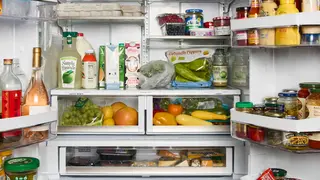
The author, who previously relied on a fridge whiteboard and the Notes app, tried using the iPhone's Reminders app to manage her grocery list. The app automatically sorts items into categories like produce and dairy, which she found more efficient for shopping. She also noted the option to share the list with other iPhone users, though she hasn't tried that yet.
The Reminders app's grocery list feature relies on automatic categorization, sorting entries like mustard into "Sauces & Condiments" and scallions into "Produce" as they are typed. Users can manually override misplaced items, such as moving chili crisp from "Oils" to the sauces section. The list can also be reordered by category to match a specific store's aisle layout, which the author found helpful but slightly time-consuming during her first shopping trip.
A settings toggle allows completed items to remain visible rather than disappearing when checked off, a feature the author appreciated to avoid second-guessing whether she had added something. The list can be shared with other iPhone users, though the author has not yet tested that capability. The author's previous methods—a fridge whiteboard and scattered Notes app entries—had proven unreliable, leading to forgotten ingredients.
This approach could streamline grocery shopping for iPhone users who already juggle multiple list-making tools, potentially reducing forgotten purchases and saving time in stores. Shared lists may also ease coordination among household members, though the feature's limitation to iPhone users could exclude mixed-device families. As digital organization tools become more specialized, consumers may increasingly expect their existing apps to handle everyday tasks without requiring separate downloads or subscriptions.