Chrome now remembers your scroll position when sending tabs between devices
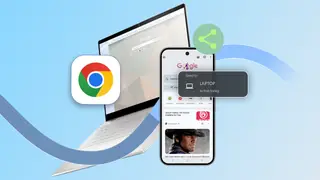
Chrome's new update allows users to send a tab from one device to another while preserving the exact scroll position. This is useful for resuming long articles or research papers on a different device. The feature works across desktop and mobile via the share menu.
The update builds on Chrome's existing tab-sharing capability, which previously transferred pages without preserving reading position. Google specifically highlights the benefit for students and researchers, citing the example of resuming a lengthy academic paper mid-commute. The feature operates in both directions, allowing seamless transfer between desktop and mobile environments.
Sharing methods vary by platform. Desktop users can access the feature through the three-dot menu, right-clicking the page, or selecting "Send to your devices" from the context menu. Mobile users share via the tab menu's Share option or by long-pressing the URL bar. The feature applies to any longform content, not just academic material.
This feature could meaningfully reduce friction for students, remote workers, and commuters who regularly switch between devices. By eliminating the need to manually relocate a reading position, it may encourage more continuous engagement with long-form content across platforms. However, its practical impact depends on how consistently users adopt the sharing workflow, and it primarily benefits those already invested in Chrome's cross-device ecosystem rather than changing broader browsing habits.