Why I Use Android Auto as My Phone's Main Launcher Outside the Car
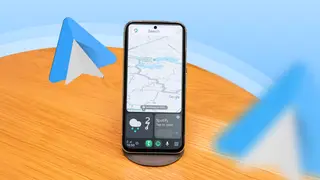
The author set up Android Auto on a spare Android phone using the free Open Headunit app, which is also available for $4 on the Play Store. Although the car's built-in system handles navigation better while driving, the spare phone now runs Android Auto outside the vehicle. This setup provides a distraction-free phone experience without removing entertainment features.
The writer already relied on Android Auto for car infotainment, despite owning an iPhone 16e that was never linked to the vehicle. After discovering Android Auto could run on unsupported cars via a spare Android phone acting as the display, he tested it in an older car, though the process was not seamless.
To recreate that experience outside driving, he installed Open Headunit—free from GitHub or $4 on Play Store—with help from a colleague. Setup involved enabling Android Auto developer mode, launching Self Mode, and selecting Start Headunit server. The spare phone now serves as a focused, minimal Android Auto display on his desk.
This workaround may appeal to tinkerers, people with older cars, spare phones or tablets, or those seeking less distracting phone interfaces. It could extend usefulness of aging hardware and reduce e-waste, while also showing demand for simpler, car-like interfaces outside vehicles. However, setup complexity and limited app access may keep it niche. Automakers and launcher developers might note interest in distraction-reducing designs.