A safe routine for removing dust from a laptop's cooling fan
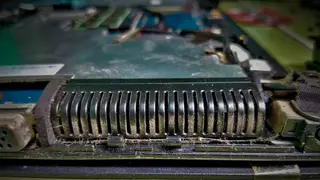
Dust that collects around a laptop's vents, fan or heat sink can reduce airflow and lead to thermal throttling. For routine maintenance, users can power down, unplug and use short bursts of electronics-safe compressed air through the vents, with Lenovo recommending cleaning every three to six months. If dust is packed deeper, opening the laptop may be necessary, but continuous blasts or probing the grille can damage the fan.
Dust naturally gathers inside a laptop’s tight chassis, especially around vents, the fan and heat sink. When airflow drops, the processor may slow itself to manage heat, a behavior known as thermal throttling. Routine care can begin without disassembly: shut down, unplug cables and peripherals, remove an easily detachable external battery, then use brief puffs of compressed air rated for electronics through intake and exhaust vents.
Lenovo suggests cleaning every three to six months. A lint-free cloth, ESD-safe brush or hand-powered blower can help with loose debris. Avoid prolonged blasts, deep probing of grilles and standard WD-40. If dust remains packed inside, opening the bottom panel may be required, but service manuals and model-specific warnings should guide that step.
This guidance could affect everyday laptop users, students, remote workers and IT teams who depend on reliable machines. Regular vent cleaning may reduce overheating-related slowdowns and costly repairs, while warnings about disassembly could push less confident owners toward professional service. If widely followed, simpler maintenance might extend device usefulness and curb premature replacements, though results will vary by model, environment and user skill.