Testing Gadesk on the Galaxy Z Fold 8: a DeX desktop that rarely worked
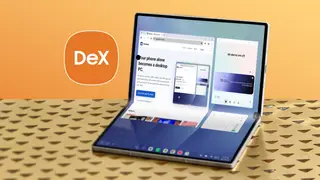
A writer tried Gadesk, a Play Store app that claims to run full Samsung DeX on the Galaxy Z Fold 8's 7.6-inch screen without a monitor. Setup required disabling Auto Blocker, enabling developer options and wireless debugging, and granting accessibility permissions, but pairing failed repeatedly. It worked once before breaking again, making the approach impractical for real work.
Samsung's DeX debuted with the Galaxy S8 family in 2017 and has traditionally required an external monitor. Gadesk, available through the Play Store, promises to run the full DeX interface directly on the Galaxy Z Fold 8's 7.6-inch inner display, without root access or sideloading. The writer hoped to use it for work during school pickup waits, since Samsung phones have handled demanding DeX sessions well before.
Setup involved disabling Auto Blocker, enabling developer options and wireless debugging, then granting accessibility permissions. Pairing repeatedly failed despite following prompts. It succeeded once, then stopped working. The free version limits sessions to 15 minutes, shows many ads, and costs $20 to remove those limits. A virtual trackpad option never appeared.
For foldable owners and mobile workers, Gadesk's struggles may reinforce that phone-based desktop work still depends on stable pairing and permissions. People seeking quick productivity during downtime—such as waiting in a car—could remain better served by native layouts or external displays. The experience may also shape expectations around third-party DeX alternatives, showing that convenience claims can falter when setup, ads, and reliability get in the way. It could influence how developers approach desktop-mode tools and how users judge Android's broader desktop ambitions.