Using a Pixel Watch as a backup Google TV remote
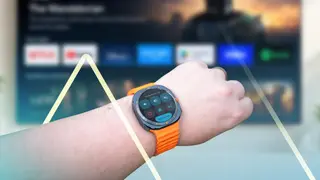
Google TV does not offer a native Wear OS remote, so the author found a third-party app for the Pixel Watch. The app puts core Google TV controls on the wrist and serves as a backup when the physical remote is misplaced. The author now uses it regularly to operate the TV.
Google TV owners can already use Android phones as remotes through the Google TV app and Quick Settings, but Google has not released an equivalent Wear OS app. That gap leaves Pixel Watch and Galaxy Watch users without built-in TV control.
A third-party option, Remote for Android TV, is free on the Play Store and supports Wear OS 3 and later, including all Pixel Watch models, Galaxy Watch 4 and newer, plus some TicWatch, Fossil, and OnePlus watches. It uses Android TV Remote Protocol v2, pairs via an on-screen PIN, and places directional buttons around a central OK control.
This workaround may matter most to households that rely on Google TV and Wear OS watches, especially people who frequently misplace a physical remote or have limited mobility. A wrist-based backup could make TV control more accessible and reduce small daily frustrations, while also showing demand for official wearable support. It may encourage more third-party development, though reliance on unofficial apps could raise concerns about privacy, compatibility, or long-term updates.