Hidden Pixel Lock Screen Customization Option Reduces Daily Navigation Time
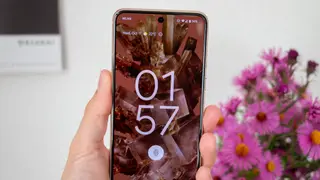
Google Pixel devices offer a customizable lock screen shortcut feature that allows users to replace the default camera and home control buttons with any preferred apps or functions. This subtle but powerful setting lets users tailor their most-accessed shortcuts based on personal workflow needs rather than being locked into Samsung's default configuration. The tweak has proven to significantly improve daily usability by reducing the need to navigate through settings or menus for frequently used actions.
Google Pixel devices include a customization feature allowing users to reassign the two default lock screen shortcuts to any preferred applications or functions. Rather than being limited to preset options like the camera and flashlight, users can access this setting through the Wallpaper & Style menu to select alternatives such as Do Not Disturb, video recording, QR code scanning, or Google Wallet based on their individual usage patterns.
The author's experience demonstrates practical applications of this feature for different life circumstances. By replacing the flashlight with Do Not Disturb, he gained quick access to focus mode during meetings or work sessions. Swapping the camera shortcut for dedicated video recording mode enabled faster capture of moments with his child, eliminating the need to navigate through camera app menus when speed matters.
This customization option could impact user productivity by reducing friction in accessing frequently needed functions directly from the lock screen. The feature may particularly benefit parents, professionals managing interruptions, and others with specific workflow priorities. However, the relatively modest nature of this tweak suggests its broader societal impact may be limited to improving individual user efficiency rather than transforming how people interact with mobile devices more fundamentally.