Hidden Google Maps Setting Prevents Battery Drain and Overheating During Extended Navigation
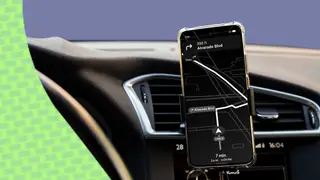
A technology writer reveals a configuration option within Google Maps that significantly reduces battery consumption and heat generation during long driving sessions. The issue stems from GPS, data synchronization, and screen-intensive operations that exceed the power capacity of typical vehicle USB ports and risk thermal throttling in hot climates. The hidden setting provides practical relief for users navigating in vehicles without Android Auto support or adequate charging capabilities.
Google Maps navigation on smartphones creates substantial power demands during long drives, combining GPS tracking, real-time data downloads, and continuous screen operation—requirements that often exceed what standard vehicle USB ports can deliver. This power deficit becomes particularly acute in hot climates where thermal throttling can further compromise charging capabilities and device performance.
The Glanceable Directions feature addresses these challenges by shifting navigation information to the device lock screen, allowing users to keep their display inactive until critical moments. This approach proves especially valuable for drivers using older vehicles lacking Android Auto integration or rental cars with limited USB charging capacity.
This solution could meaningfully improve user experience for millions of drivers in pre-2018 vehicles and rental fleets where Android Auto remains unavailable. By reducing power consumption, the feature may extend device longevity and reliability during navigation-dependent activities, potentially affecting consumer satisfaction and smartphone usability in vehicles. However, the feature's benefits depend on user awareness, as its buried menu placement limits discoverability among general audiences.