A Practical Guide to Polishing Talking-Head Videos in Filmora 16
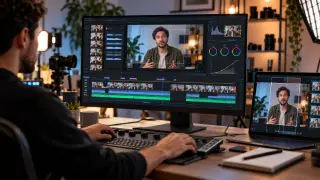
The article outlines a workflow for editing single-presenter videos, starting with removing pauses, repeated takes, and incomplete sentences. It highlights Filmora 16 features such as transcript-based editing, silence detection, camera tracking, captions, and B-roll to streamline cleanup and improve presentation. The guidance also covers framing and color adjustments for a more polished result.
Filmora 16 targets single-presenter footage by combining transcript-driven dialogue edits with silence detection. Editors can set volume threshold, minimum duration, and softening buffer to decide which quiet passages are flagged, then keep or remove them manually. AI text-based editing lets cuts happen through transcript changes.
The workflow separates structural cleanup from visual polish. After tightening speech, camera tracking follows a moving presenter, B-roll supplies context, and captions plus color controls improve clarity and consistency. The source also notes that jump cuts from removed pauses may be softened with cutaways or framing changes.
Tools that automate transcript-based cuts and silence removal may lower barriers for solo creators, educators, and small teams producing talking-head videos. Faster cleanup could let them publish more frequently, but reliance on automated detection may also risk uniform pacing or overlooked nuance if editors accept suggestions without review. Viewers may benefit from clearer captions and tighter presentations, while accessibility could improve when captions are generated consistently.