Fixing MySQL Workbench Export Failures and Recovering Corrupted Databases
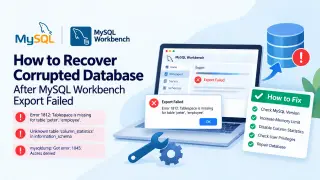
The guide covers MySQL Workbench export failures and steps for recovering a corrupted database. It cites errors such as a missing tablespace, an unknown column_statistics table, and access denied, along with causes including version mismatches, insufficient privileges, large files, low disk space, and damaged tables. It then offers troubleshooting methods and mentions a professional repair tool for InnoDB or MyISAM corruption.
MySQL Workbench exports can fail for several distinct reasons, including missing tablespaces, an unavailable column_statistics table, and access-denied responses from mysqldump. Other triggers include selecting the wrong table, unsupported or damaged table formats, missing SUPER privileges, oversized files, wrong server paths, incompatible server versions, low disk space, and an enabled column-statistics setting.
The guide suggests checking server and Workbench versions, raising max_allowed_packet, disabling column-statistics, and verifying user privileges. If InnoDB or MyISAM corruption is suspected, it recommends an online repair attempt and mentions a professional repair tool.
Database administrators, developers, and small organizations that rely on MySQL for backups, migrations, or data sharing could be affected when exports fail. Such failures may delay critical transfers and, if corruption is involved, heighten the risk of data loss or extended downtime. Clear troubleshooting steps and repair options may help technical teams recover access sooner, though less experienced users could still struggle without support.