Third-Party App Brings New Life to MacBook Pro's Glowing Logo with Smart Modes
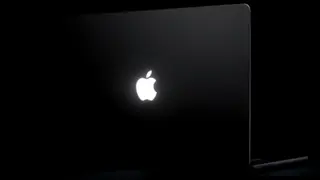
A new app called Backglow allows users of the latest MacBook Pro models to customize the illuminated Apple logo, offering features like brightness control, pulse effects, music synchronization, and AI alert notifications. The free version includes basic controls, while a paid Pro version unlocks advanced modes. This comes as Apple reintroduced the feature after dropping it in 2015.
On November 6, 2026, designer Juan Buis launched Backglow, a third-party application enabling users of the new 14-inch and 16-inch MacBook Pro models to customize the illuminated Apple logo—a feature reintroduced by Apple after being removed in 2015. The app offers free controls for adjusting the logo’s brightness independently from the display, turning it off with one click (a workaround previously requiring Terminal commands), and activating a “Breathe” mode that mimics the gentle pulsing of older Mac sleep indicators. A Pro version, priced at $9 during a limited-time offer or $15 thereafter, unlocks two additional modes: “Music,” which synchronizes the logo’s pulse with audio playback, and “Agents,” designed to signal when AI tools like Claude Code are active or when user attention is required. The new MacBook Pros feature PROLED XDR displays, which lack traditional backlights, necessitating a custom white LED light source engineered by Apple specifically to revive the glowing logo without increasing lid thickness—Apple’s internal rationale reportedly being “because it’s awesome.” This return of the logo coincides with broader industry trends toward personalization and ambient feedback in consumer electronics.
The background reveals Apple’s deliberate decision to remove the feature in 2015 due to technical constraints and design minimalism, only to reverse course with OLED technology enabling a new implementation. Buis’s app capitalizes on this hardware revival by offering functionality Apple has not yet provided through its own software. While Apple controls the default behavior—automatically adjusting brightness based on ambient light and screen level—the app fills a gap in user autonomy. The people involved include Buis, an independent designer responding to user demand for greater control; Apple, which prioritizes aesthetic cohesion but may eventually expand native options; and users who value both functionality and expressive personalization. What remains unresolved is whether Apple will incorporate these features into future macOS updates, potentially rendering Backglow obsolete or prompting a licensing model. The long-term success of the app may depend on Apple’s openness to third-party integrations with hardware features.
Backglow illustrates how third-party developers can rapidly respond to gaps in manufacturer-provided functionality, especially when new hardware enables previously unavailable interactions. By offering music synchronization and AI alert modes, the app enhances user engagement with devices beyond basic utility—potentially shaping how people perceive their Macs as interactive companions rather than mere tools. This could influence broader expectations for smart feedback in consumer electronics, pushing other companies to consider ambient indicators or adaptive lighting in future products. A comparable precedent is the rise of third-party apps like BetterTouchTool, which extended macOS capabilities beyond Apple’s original design, eventually leading to some features being adopted natively. Backglow may follow a similar path if demand grows and Apple sees strategic value in integrating such modes into its ecosystem. However, Apple could also limit access through software updates or hardware restrictions, affecting developer freedom. The next phase to watch is whether Apple acknowledges the popularity of these modes—especially AI-driven alerts—and incorporates them officially, which could signal a shift toward more expressive, context-aware device behavior.