iPhone can act as a spare PC gamepad with a Wi-Fi app
The Remote Gamepad app lets iPhone users control PC games over Wi-Fi, not Bluetooth, by pairing with companion software on Windows, Mac, or Linux. After installing both apps and scanning a QR code, users get three default layouts with adjustable haptics and steering. The free version limits sessions to 20 minutes, while a $3 premium tier removes that cap.
The Remote Gamepad app pairs with companion software available for Windows 10 and 11, macOS, and Linux, requiring both devices to share the same Wi-Fi network. Setup involves scanning a QR code displayed on the PC screen with the iPhone's camera, after which users can choose from three default control layouts or build custom ones. Settings allow adjustments to haptic feedback, steering sensitivity, and steering range.
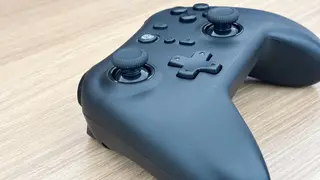
The free tier imposes a 20-minute session cap, extendable by watching ads, while a one-time $3 purchase removes the limit entirely. The article notes that physical controllers remain superior for most gaming, but the app's customizable layout could benefit users with disabilities who struggle with traditional gamepads. Older PS4 and Xbox One controllers can serve as Bluetooth alternatives, though early Xbox One models lack Bluetooth support.
This app may offer a low-cost, temporary solution for casual gamers who need an extra controller without purchasing dedicated hardware. Its customizable layouts could meaningfully improve gaming accessibility for people with physical limitations, potentially expanding who can participate in PC gaming. However, the 20-minute free limit and reliance on Wi-Fi stability may frustrate users mid-session, and the experience likely won't satisfy competitive players. The broader trend of repurposing smartphones as peripherals could gradually shift how casual gamers approach hardware purchases, though dedicated controllers will probably remain the standard for serious play.