What Windows users should know before switching to Mac
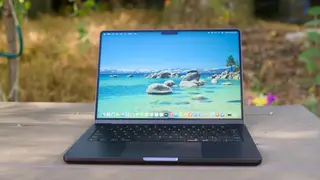
The article notes that while Macs generally perform better and have better battery life, there are downsides. One is the learning curve, such as the lack of a native right-click on Mac trackpads, requiring two-finger clicks or Control-click. Web apps work similarly across platforms, but some habits need adjustment.
The transition from Windows to macOS involves more than hardware differences. Apple’s trackpad gestures replace the familiar right-click, requiring two-finger taps or Control-clicks—a legacy of the original single-button mouse. Even routine tasks like installing software can trip up newcomers, as many Mac apps still rely on drag-and-drop into the Applications folder rather than automated installers. The Dock also behaves differently from the Windows Taskbar, hiding individual windows behind secondary clicks. Apple’s Hot Corners feature offers a workaround, letting users reveal all open windows or the desktop by moving the cursor to a screen edge.
Beyond these interface quirks, the article emphasizes that web-based tools now blur platform lines, making the shift less jarring than in the past. For laptop users, adapting to Apple’s trackpad conventions is often simpler than attaching an external mouse. The learning curve is real but manageable, and most Windows habits can be retrained within a few days of regular use.
This story may affect professionals and students who are considering a platform switch for performance or battery gains. The learning curve could temporarily reduce productivity, but the long-term benefits—durability and efficiency—may outweigh initial friction. Consumers might also feel pressure to adopt Apple’s ecosystem, potentially increasing brand lock-in. However, the availability of web apps and workarounds like Hot Corners suggests the transition is less disruptive than in the past, easing anxiety for those weighing the move.