Microsoft revamps Copilot app with Office integration and agentic automation
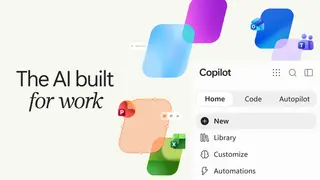
Microsoft's standalone Copilot application is receiving a major update featuring a tabbed interface and direct Office app integration. A new Code tab allows users to build simple applications and dashboards using natural language commands, while an Autopilot tab enables autonomous handling of recurring tasks and workflows. The update aims to boost productivity for both consumers and enterprise users.
The redesigned Copilot app moves beyond simple chat into a multi-purpose workspace. Its Home tab handles standard conversations while routing more complex requests to deeper modes. The Code tab removes programming barriers, letting users describe desired tools in plain language and receive functional widgets, trackers, or data dashboards without writing code.
The Autopilot tab represents the most significant shift, enabling hands-off management of recurring workflows like supplier reviews, including scheduling, meeting preparation, and stakeholder follow-ups. Microsoft's recent pullback from embedding Copilot throughout Windows suggests a strategic focus on dedicated productivity tools rather than operating system integration, with enterprise customers who regularly process data and generate reports seen as the primary audience.
This update could lower technical barriers for office workers, allowing non-programmers to build custom tools and automate routine tasks that previously required manual effort or IT support. Businesses may gain efficiency but also face new oversight challenges, since autonomous agents handling communications and processes could introduce errors or accountability gaps. Individual users might appreciate time savings while losing hands-on control over important workflows, potentially requiring new trust in AI systems.