macOS 27 Adds an Easier Way to Find a Mac's Build Date
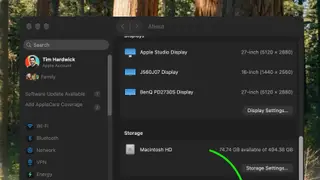
Apple's macOS 27 Golden Gate update adds a built-in way to see when a Mac was manufactured. The date appears on the regulatory certificate, which can be reached through System Settings and System Report. This replaces the older practice of decoding serial numbers to determine production details.
macOS 27 Golden Gate brings manufacture timing back into the operating system. Users can open System Settings, go to General > About, click System Report, then Regulatory Certification, where a Date of Manufacture appears at the bottom. This removes the need for third-party decoders or online serial lookups.
Apple once used serial numbers that embedded factory, production year, and week data. After 2021, randomized serials began with devices such as the purple iPhone 12 and later Macs, improving security but hiding production details. The macOS 27 field was noticed by community members rather than announced in a keynote.
This change could mainly affect people buying, selling, or repairing used Macs, since a visible manufacture date may make age and wear easier to assess. It may also help warranty and support discussions by giving users and technicians a shared reference point. However, because the date appears on a regulatory certificate, its practical value may depend on how clearly it reflects the device’s assembly history. Overall, it could reduce reliance on unofficial serial-number tools without changing Apple’s broader hardware-identification approach.