Refresh Your Samsung Galaxy Display with These Five Customization Techniques
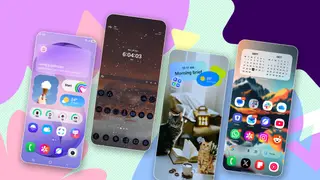
Samsung Galaxy users can enhance their home screen appearance through several customization options available in One UI 9 and via Good Lock or Galaxy AI features. The article explores practical methods to move beyond static wallpapers and default layouts, including the ability to use motion photos as dynamic backgrounds. These techniques allow users to personalize their device experience without requiring extensive technical knowledge.
Samsung's latest software update introduces dynamic wallpaper capabilities that represent a significant shift in how users personalize their devices. The motion photo feature, which has existed in Samsung cameras since 2016, now serves a dual purpose by enabling animated backgrounds on home screens. For users seeking more advanced customization options before upgrading to the newest software, third-party tools like the Good Lock module provide alternative solutions with expanded creative possibilities, including the ability to layer multiple visual effects and adjust motion sensitivity based on device orientation.
This story may influence consumer satisfaction among Galaxy device owners by highlighting personalization features that could reduce the perception of Samsung devices as having static, unchanging interfaces. The accessibility of these customization techniques without requiring technical expertise could encourage broader engagement with device settings. However, the impact remains largely confined to aesthetic preferences rather than functional improvements, potentially resonating most strongly with users who prioritize visual distinctiveness and those seeking differentiation from competitor devices like Google Pixels.