A workaround for setting Waze as Pixel's default map app
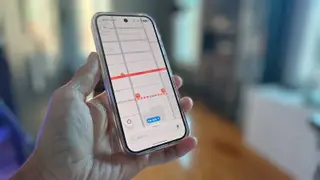
After an Android update, Pixel users lost an easy way to choose a different default mapping app, prompting the writer to seek a workaround for Waze. The article explains that the usual Default apps menu no longer provides a mapping option. It then walks through a method for making Waze the default on Pixel and other Android phones.
After an August Android update, Pixel owners could no longer select a separate mapping app through the usual settings area; the mapping choice disappeared. The writer installed Waze from Google Play but found no prompt inside Waze and no setting there to make it the default.
The workaround is to disable Google Maps under Settings, Apps, then Maps. With only Waze available for map tasks, opening an address from a calendar item should launch Waze, and a default prompt may appear. For Android Auto, Waze must be checked in the launcher customization. The writer says this also applied to other Android phones tested, though not Samsung.
This workaround could matter most to Pixel and other Android users who prefer Waze for navigation, especially those who rely on calendar links or Android Auto while driving. Disabling Google Maps may simplify default routing for some, but it could also confuse users who expect Maps to remain available for other tasks. The effect is likely limited to personal app preferences, though broader reliance on default-app controls may shape how easily people switch between mapping services.