How to get comfortable with the iPhone Duo’s foldable quirks
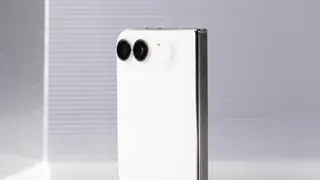
The Verge has compiled tips for people adjusting to the iPhone Duo, Apple’s new foldable phone. One trick lets owners lock orientation on the cover display while leaving the inner screen free to rotate, and videos can still rotate automatically in tent mode. The guide is aimed at early buyers still learning the device’s controls and layout.
The Duo is Apple’s new foldable iPhone, and its cover display and inner screen introduce different control behaviors. The Verge’s Allison Johnson notes that owners can lock the cover display’s orientation while leaving the inner screen free to rotate; even with that lock, video can still turn automatically when the phone is propped in tent mode.
Other adjustments include changing volume-button behavior through Settings > Sounds & Haptics > Fixed Position Volume Controls, so the top button raises volume after clockwise rotation. Users can also open Control Center by tapping the combined Wi-Fi and battery status icon, an alternative to the three top-edge swipe shortcuts.
Early buyers and foldable-curious users may face a short adjustment period as they relearn orientation, volume, and Control Center gestures. If such quirks become common in Apple’s lineup, more people could encounter dual-screen workflows, and app developers may need to ensure layouts and video behavior work across cover and inner displays. The guide may reduce frustration for first-wave owners, but broader impact depends on how quickly foldables move beyond niche status.