Android 17 adds floating app bubbles for quick multitasking
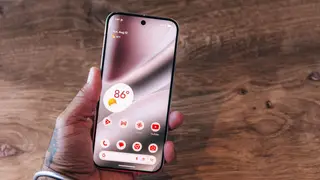
Android 17 introduces app bubbles that keep up to five apps as floating icons above other content. The feature starts as a Pixel exclusive and is expected to reach other phone makers, while Samsung offers a similar Smart Pop Up View option. Users can long-press an app and choose Bubble to pin it for faster access.
Android 17 now lets people pin apps as bubbles, with a limit of five. The icons stay above other screen content, and users can drag them only along the left or right edge; multiple bubbles shift as a group. The option appears after a long press on an app, alongside choices such as app info or pausing the app.
The capability debuts on Pixel devices, with wider availability expected later. Samsung phones offer a comparable Smart Pop-Up View feature, accessible through notification and floating-notification settings, though users may first need to allow multi-window support for all apps. Previously, Android bubbling was mainly tied to certain messaging conversations.
The feature may mainly affect people who switch frequently among a few apps, such as messaging, maps, or work tools, by reducing small navigation steps and keeping tasks visible. Because it begins as a Pixel exclusive, initial benefits could be uneven across Android users, while Samsung’s similar option may soften that gap. Over time, wider availability could make floating app access feel more routine, though the practical gain may be modest for people who do not multitask heavily.